Thetis Skin Maker
A simple Windows program that modifies the background image of OpenHPSDR Thetis

My father is an amateur radio operator and started almost 40 years ago. He often asks me to help him with computer related things. For operating his radios, he uses the OpenHPSDR Thetis software (pictured below).
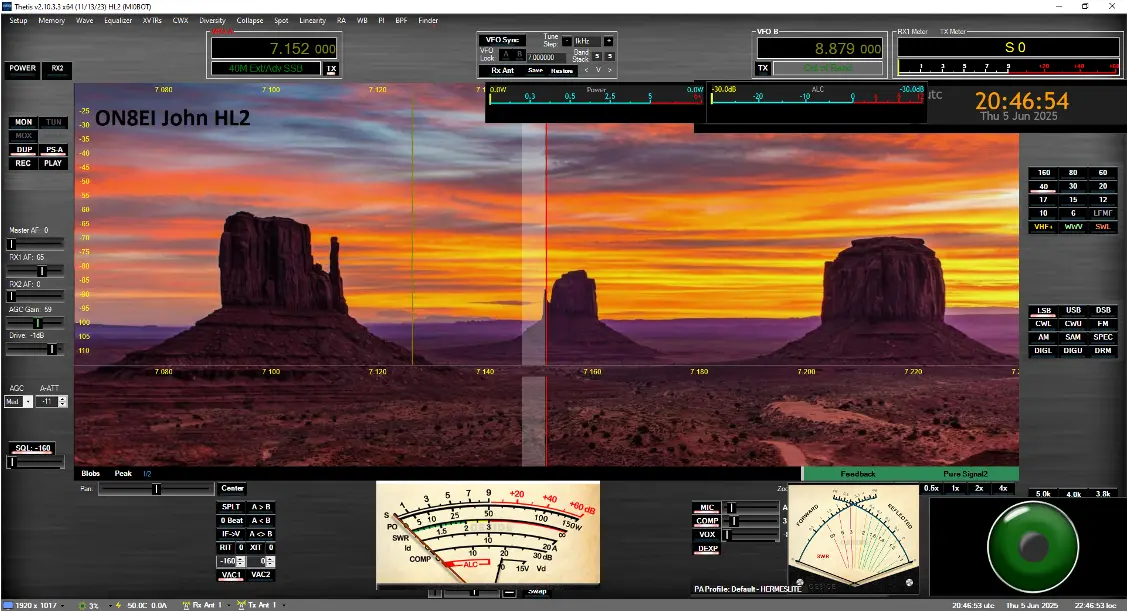
The application includes a lot of customisation options, among which the selection of themes (called "skins"). These allow you to completely change the appearance of the program. You can find such skins on the internet, made by other Thetis users.
My father was particularly interested in changing the background. Since he did not know how to make a skin himself, every time he wanted a new one, I had to do it. Eventually, I decided to write an application to make it easy for him to do it himself, which I have done quite a few times for my father.
Initial implementation
Around the end of August 2024, I wrote the very first version with GTK and Vala, but that that combination doesn't work optimally on Windows: you get a relatively large bundle (around 10 MB) that is mostly unrelated library files. So I decided to rewrite the application with C and the Windows API. The Windows API is the interface that all Windows applications use to get things done on the platform. This was an interesting choice: I am very familiar with C, but I had limited knowledge of the Windows API, and I had never used it to write a full user application.
I chose this combination for two reasons: I wanted to have no additional runtime dependencies, so that only the executable needed to be distributed, and therefore it would be easy to explain to an end-user (my father) how to run it. Second of all, I wanted to learn the Windows API in any case, so I would understand how to build a graphical application using it.
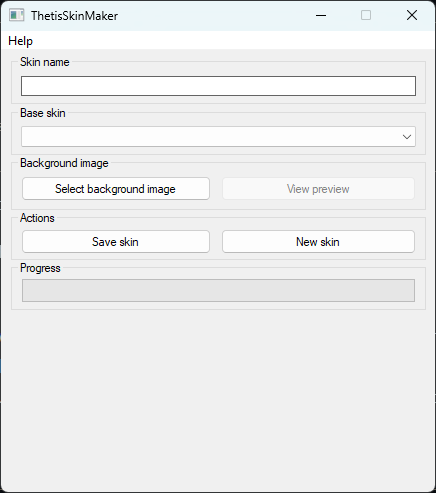
Since it was my first Windows API application, it was not well structured or well written, but it performed the actions that it needed to, and the result was this application (pictured). I demonstrated it to my father, and he was so impressed that he sent it to his friends around the world who were also impressed. However, afterwards I uncovered some bugs, specifically with naming the skins, but I could not address them properly because the code was not written well.
Rewrite
After my internship, with the experience and ideas that I got from there, I had a growing desire to revisit the application. Around the end of May 2025, I got to rewriting the application, with an emphasis of making the code well structured and as clean as possible, while at the same time rethinking the user interface to be as user friendly as possible, as I found my father still had trouble with the interface.
The result? A much cleaner and readable codebase, with less code yet functionally equivalent, that is easily extensible for the future, with a much more logical, compact and user friendly UI (pictured). Additionally, bugs that would never be able to be fixed with the old version have been addressed. In a sense, it is reminiscent of the story of my own internship project.

A learning moment
With this project, I learned how to make an application for the Windows platform, interfacing with some low-level facilities provided by the operating system (such as GDI+ for image processing), as well as learning how to deploy such an application. I also improved my skills with regards to explaining how to use the application that I wrote to an end-user (well, in this case, my father).